
Domain DNS settings (editing, deleting or adding records in the DNS zone)
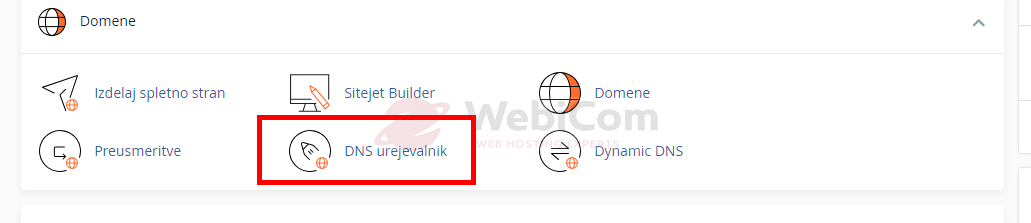
- Log in to cPanel and in the Domains section choose Zone Editor / DNS Editor:
- Then select MANAGE:
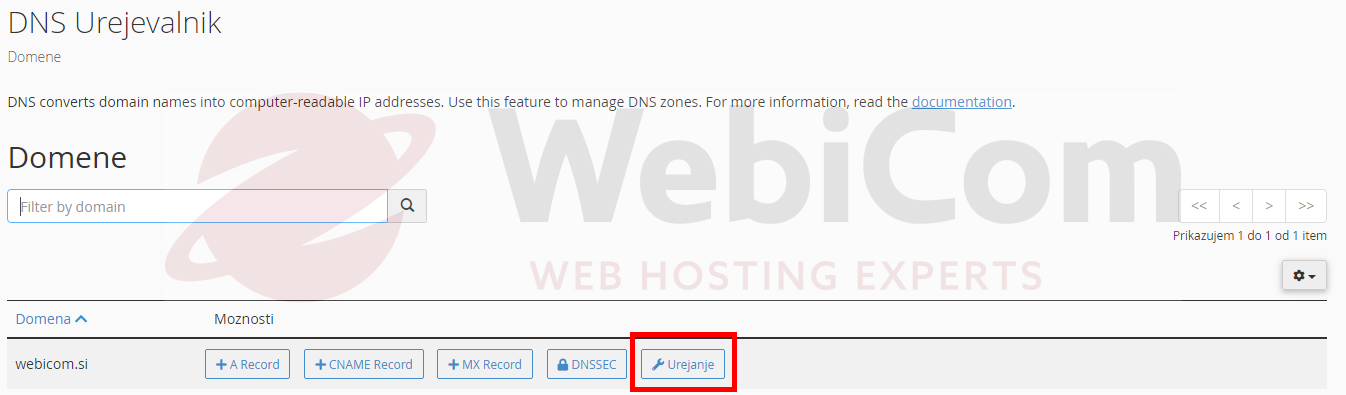
The DNS editor lets you quickly add, edit or delete records in the DNS zone. You can manage most common DNS records such as A, MX, CNAME, TXT and others.
- A record points web traffic, for example your website.
- MX record directs email traffic for your domain.
- TXT records are used for SPF, DKIM and many other purposes.
To add a new record, click Manage and then the blue Add Record button in the upper-right area. Supported records include:
- A
- AAAA
- CNAME
- DMARC
- MX
- SRV
- TXT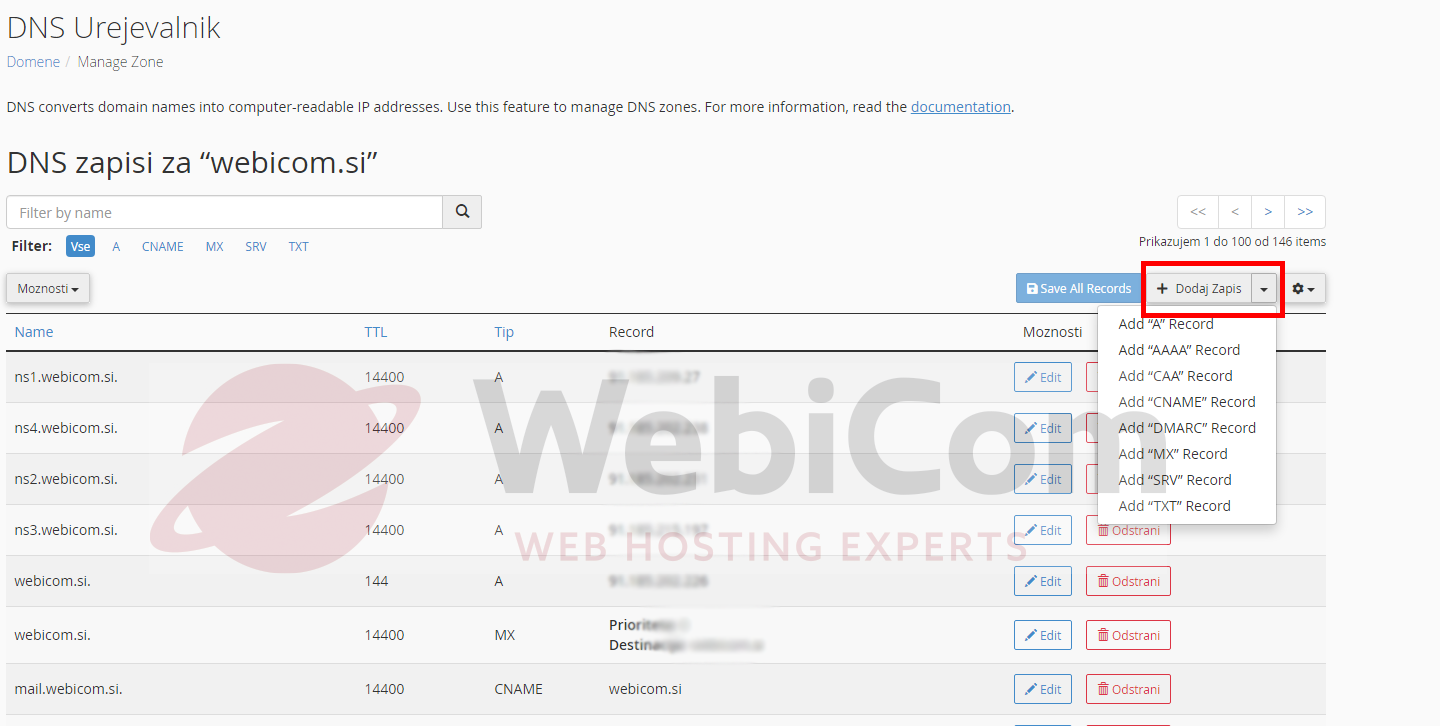
- Next to each DNS record you have the options Edit and Delete.
Click Edit to modify an existing record and then save it with Save Record. Click Delete to remove the record.
NOTE: Only change DNS zones if you know exactly what you are doing. Incorrect DNS settings can make the domain and/or email stop working. If you are unsure, ask an experienced administrator to make the change.
Looking for SPF and/or DKIM settings?